![Ozen Long - Back (1)-2.png]](https://support.ozeninc.com/hs-fs/hubfs/Ozen%20Long%20-%20Back%20(1)-2.png?height=50&name=Ozen%20Long%20-%20Back%20(1)-2.png)
To set up MS MPI for distributed simulations in AEDT:
1. Install MS MPI from the ANSYS Electromagnetics Installation Shell:
-
-
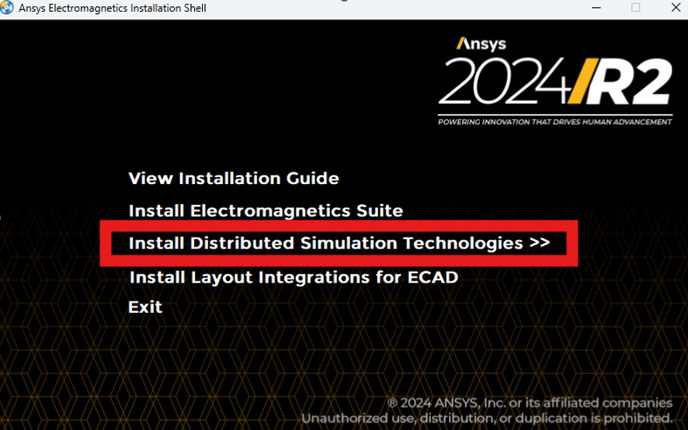
- Install Distributed Simulation Technologies
- Install Distributed Simulation Technologies
-
-
-
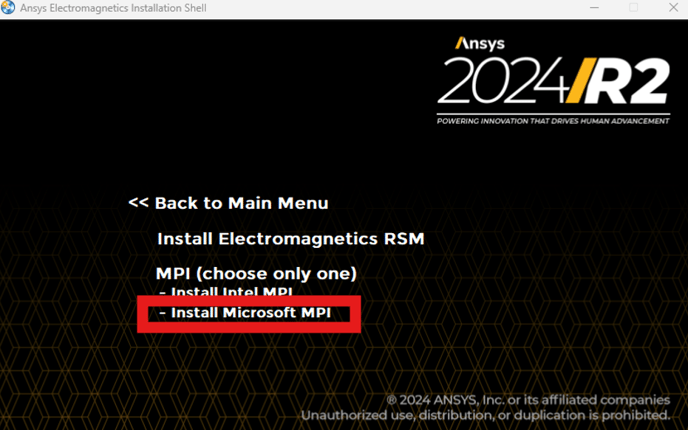
- Install Microsoft MPI
-
2. Start the MS-MPI service by opening an elevated CMD (right-click on CMD and select "Run as administrator") and run these three commands:
sc config MsMpiLaunchSvc depend= Dnscache/Dhcp
sc config MsMpiLaunchSvc start= delayed-auto
sc start MsMpiLaunchSvc
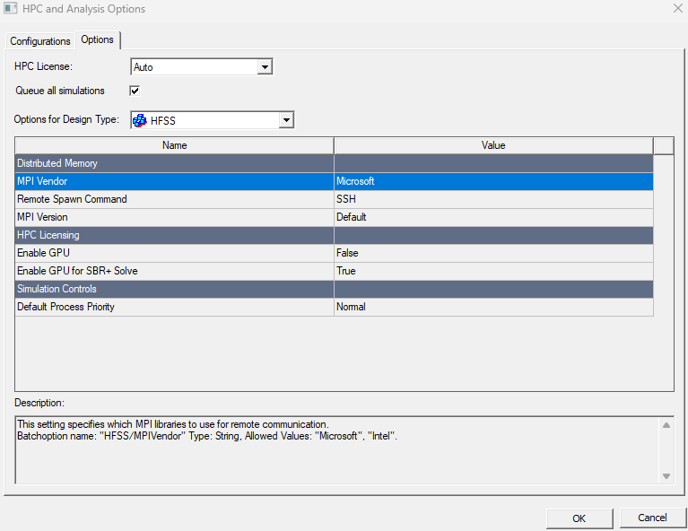
3. Set the MPI type in AEDT to MS-MPI in "HPC and Analysis Options" > "Options"