![Ozen Long - Back (1)-2.png]](https://support.ozeninc.com/hs-fs/hubfs/Ozen%20Long%20-%20Back%20(1)-2.png?height=50&name=Ozen%20Long%20-%20Back%20(1)-2.png)
This article will inform the reader on how to activate a non-Newtonian viscosity model for a fluid viscosity when using Fluent. The non-Newtonian viscosity models are not exposed by default when using the viscosity pull-down for a fluid material. This article informs on how to expose those models for selection.
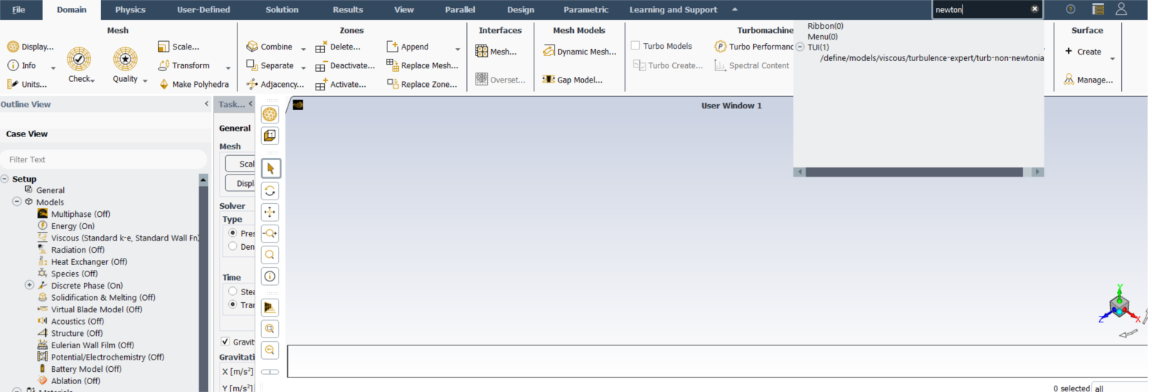
Step_A:
- Enter the text “newton” into the Quick Search.
- Observe the TUI command generated.
- Click on the TUI command.
Step_B:
The TUI command should automatically appear in the console.
Type enter and enter y to enable.
/define/models/viscous/turbulence-expert/turb-non-newtonian?
Enable turbulence for non-Newtonian fluids? [no] y
Step_C:
- Enter the materials panel for the desired fluid.
- Access the viscosity pull-down.
- Scroll down to access the added viscosity models.
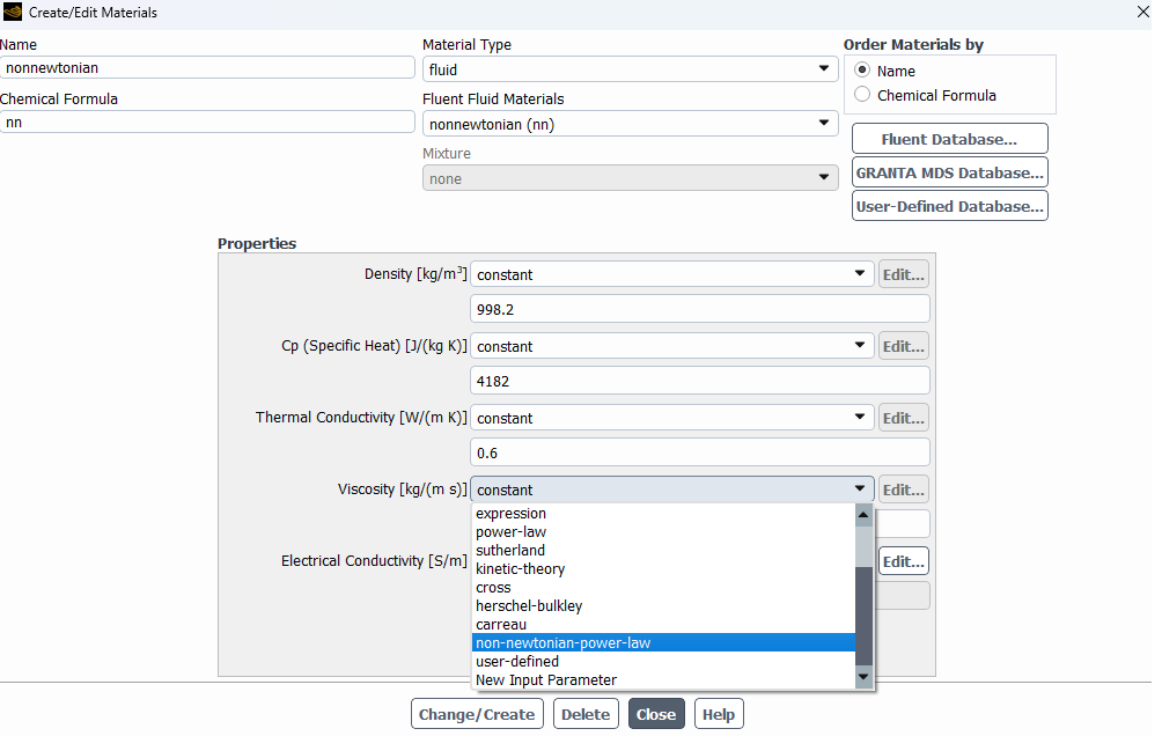
- Select from one of the new options:
Cross
Hershel-Bulkley
Carreau
Non-Newtonian-Power-Law
In conclusion, the turbulence for non-Newtonian fluids needs to be activated via a TUI to be able to activate a non-Newtonian fluid viscosity.