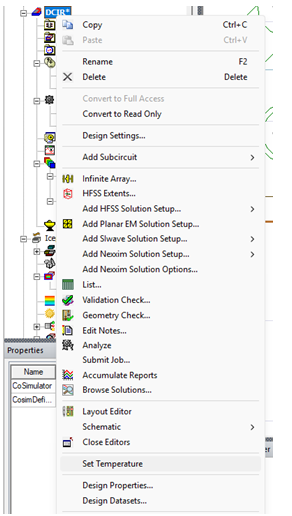
In the Project Manager panel, right-click on the model name, and select Set Temperature
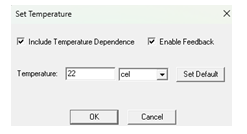
Enable Include Temperature Dependence and enable Enable Feedback
![Ozen Long - Back (1)-2.png]](https://support.ozeninc.com/hs-fs/hubfs/Ozen%20Long%20-%20Back%20(1)-2.png?height=50&name=Ozen%20Long%20-%20Back%20(1)-2.png)
In the Project Manager panel, right-click on the model name, and select Set Temperature
Enable Include Temperature Dependence and enable Enable Feedback