![Ozen Long - Back (1)-2.png]](https://support.ozeninc.com/hs-fs/hubfs/Ozen%20Long%20-%20Back%20(1)-2.png?height=50&name=Ozen%20Long%20-%20Back%20(1)-2.png)
To remove a queued simulation in AEDT, you can follow these steps:
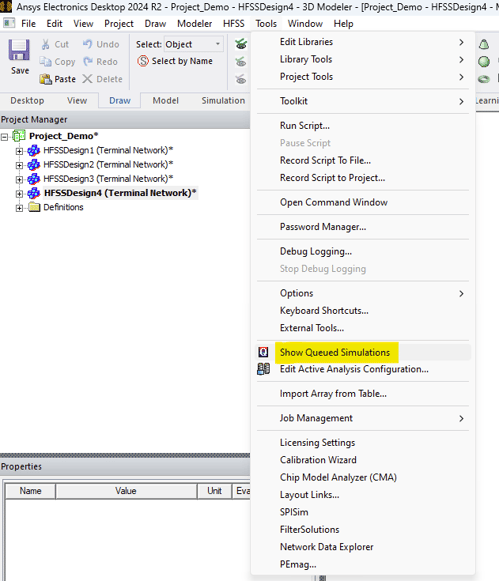
1. Click on "Tools" in the menu.
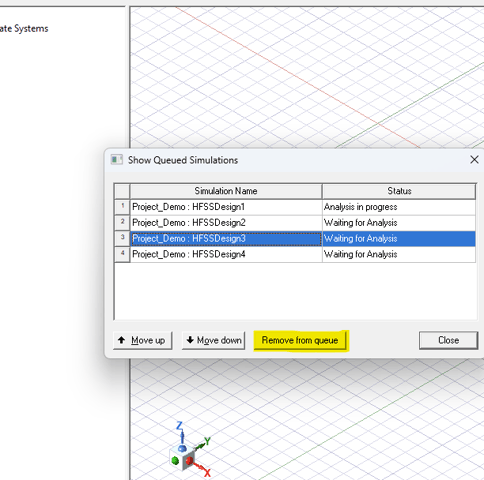
2. Select "Show Queued Simulations" to display a dialog box with all simulations and their current status.
3. Select the simulation you wish to remove.
4. Click "Remove from Queue" to remove the selected simulation from the queue.