- You have to have a finished simulation or have had a clean stop.
- Look for the results folders.

- Inside the AEDT results folder, look for your Icepak project results folder.

- Inside the results folder, look for a folder ending in .restart.

- Inside the restart folder, look for the .nc_cas file and the .dat.h5 file.
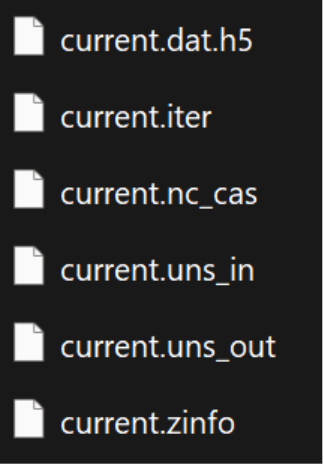
- After identifying the files, open Fluent either in the standalone version or within the workbench.
- Open only the case file and select the current .nc_cas file. If you try to open the case and data at the same time, it will give you an error.
- After you open the .nc_cas file, read or import only the data file.
- Check in Fluent if the temperature, velocity, or other results were imported correctly.
- Save the Fluent files with a different name.
- Finally, open the case file created in step 10 with CFD Post.
- Postprocess your results.
English
![Ozen Long - Back (1)-2.png]](https://support.ozeninc.com/hs-fs/hubfs/Ozen%20Long%20-%20Back%20(1)-2.png?height=50&name=Ozen%20Long%20-%20Back%20(1)-2.png)