![Ozen Long - Back (1)-2.png]](https://support.ozeninc.com/hs-fs/hubfs/Ozen%20Long%20-%20Back%20(1)-2.png?height=50&name=Ozen%20Long%20-%20Back%20(1)-2.png)
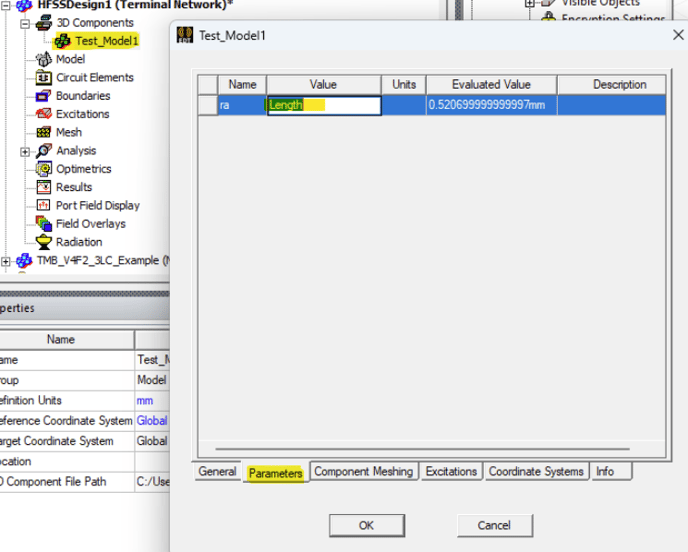
It is possible to parameterize the properties of a 3D component in HFSS by assigning variables. After creating and importing the 3D component:
- Go to the Project Manager.
- Under 3D Components, either:
- Double-click on the component, or
- Right-click on the component and select Properties.
- This will open a window where you can navigate to the Parameters tab to view all variable names and their evaluated values.
- From there, select values and replace them with variables, which can be used in optimetrics.