![Ozen Long - Back (1)-2.png]](https://support.ozeninc.com/hs-fs/hubfs/Ozen%20Long%20-%20Back%20(1)-2.png?height=50&name=Ozen%20Long%20-%20Back%20(1)-2.png)
In HFSS, a wave port must have 'solve inside' objects on one side only. For internal wave ports, a PEC object is needed on the opposite side to complete the setup before the solution can be processed.
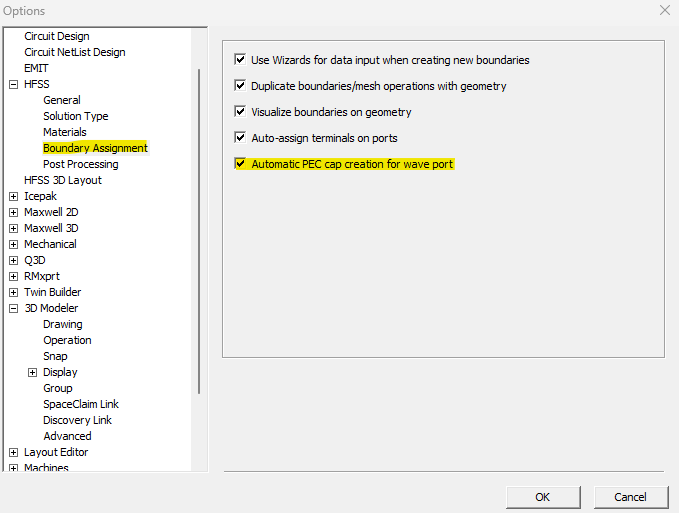
To enable the automatic PEC creation option, follow these steps:
1. Go to Tools > Options > General Options
2. Expand the HFSS option and select Boundary Assignment
3. Check the Automatic PEC cap creation for wave port option
4. Click OK to apply the changes