![Ozen Long - Back (1)-2.png]](https://support.ozeninc.com/hs-fs/hubfs/Ozen%20Long%20-%20Back%20(1)-2.png?height=50&name=Ozen%20Long%20-%20Back%20(1)-2.png)
Images from the 3D Modeler window can be copied to the clipboard using the following steps:
- Make the Modeler window active from which you wish to capture an image.
- Copy the image to the clipboard using one of these methods:
- From the menu bar, click Edit > Copy Image.
- Right-click the Modeler window and select Copy Image from the shortcut menu.
- On the View ribbon tab, click Copy Image:
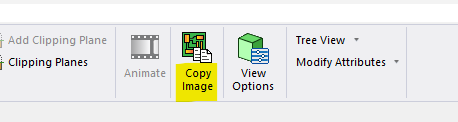
A raster image of the contents of the Modeler window will be copied to the clipboard.