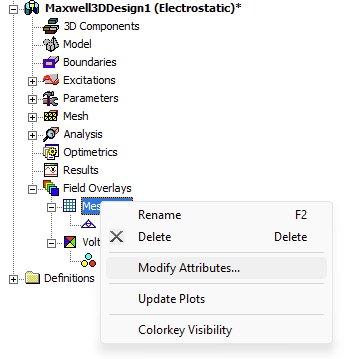
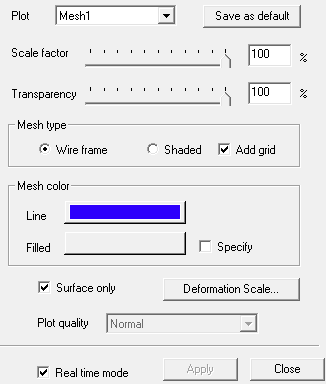
The mesh plot properties can be changed to make the mesh more visible. To do this, right-click on MeshPlots > Modify Attributes. In the MeshPlot window, you can adjust settings such as transparency and mesh color.
![Ozen Long - Back (1)-2.png]](https://support.ozeninc.com/hs-fs/hubfs/Ozen%20Long%20-%20Back%20(1)-2.png?height=50&name=Ozen%20Long%20-%20Back%20(1)-2.png)
The mesh plot properties can be changed to make the mesh more visible. To do this, right-click on MeshPlots > Modify Attributes. In the MeshPlot window, you can adjust settings such as transparency and mesh color.