![Ozen Long - Back (1)-2.png]](https://support.ozeninc.com/hs-fs/hubfs/Ozen%20Long%20-%20Back%20(1)-2.png?height=50&name=Ozen%20Long%20-%20Back%20(1)-2.png)
Windows x64 Systems
- Download the Windows x64 zip file: (WINX64.zip) Here
- Extract the zip file.
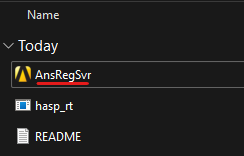
- Run AnsRegSvr.exe
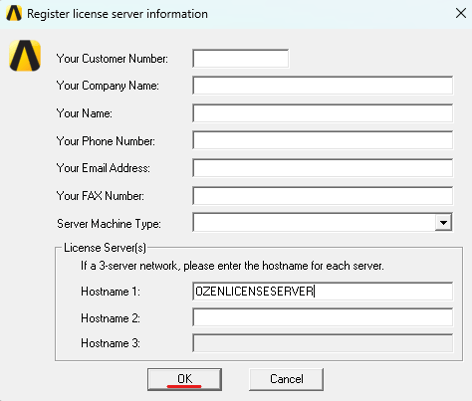
- Click OK. You can leave all fields blank and it will still obtain the necessary information to generate the license file.
- Click Create File.
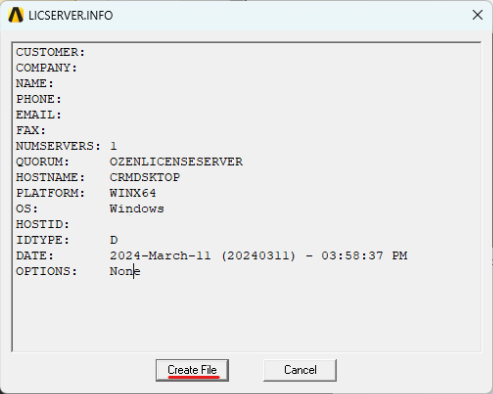
- Send the generated .INFO file to Ozen.
Linux x64 Systems
- Download the Linux x64 tar file: (LINX64.tar) Here or use:
wget https://storage.ansys.com/staticassets/license/LINX64.tar - Untar the tar file.
tar xvf LINX64.tar - Run ./GetLinx64Hostid
- Fill the requested information or use NA as it will still obtain the necessary information to generate the license file.
- Send the generated LICSERVER.INFO file to Ozen.