![Ozen Long - Back (1)-2.png]](https://support.ozeninc.com/hs-fs/hubfs/Ozen%20Long%20-%20Back%20(1)-2.png?height=50&name=Ozen%20Long%20-%20Back%20(1)-2.png)
To access Granta materials in AEDT:
- In AEDT, open the Materials dialog box.
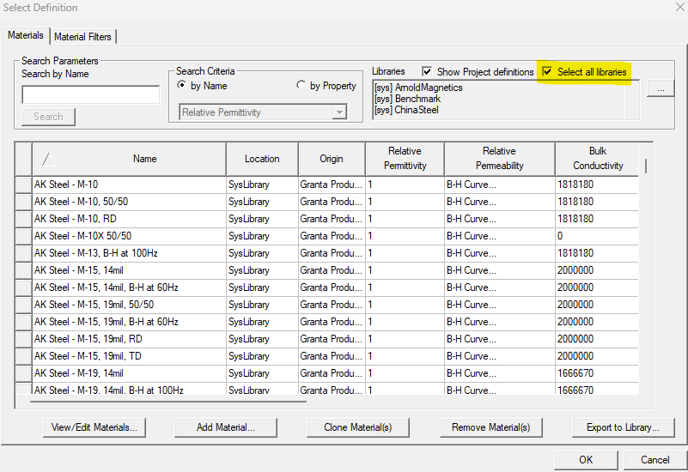
- Click on Select All Libraries to view the available material libraries, including Granta materials.
- Browse through the libraries and choose the Granta materials you wish to use for your simulation. A Granta license is required to use these materials.