![Ozen Long - Back (1)-2.png]](https://support.ozeninc.com/hs-fs/hubfs/Ozen%20Long%20-%20Back%20(1)-2.png?height=50&name=Ozen%20Long%20-%20Back%20(1)-2.png)
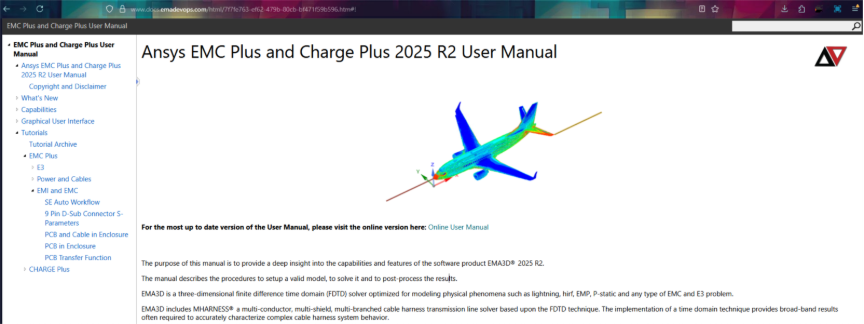
in the software, click on EMA3D, and then click on the blue question mark.

This will open the manual. Alternatively, you can open the web-version here:
https://www.docs.emadevops.com/html/7f7fe763-ef62-479b-80cb-bf471f59b596.htm
This manual has tutorials which have pdf's with instructions.
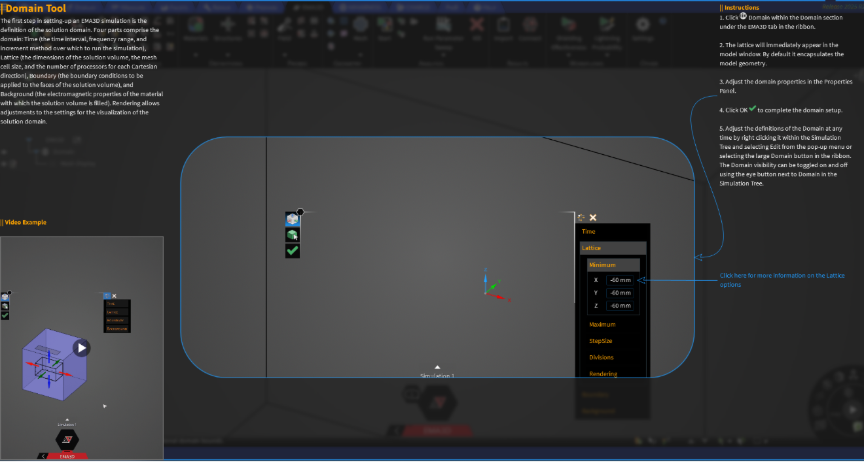
Additionally, while you are navigating the software, you can click F1 to open the tooltip. This will give you access to built-in references for what each setting does.