-2.png?height=120&name=Ozen%20Long%20-%20Back%20(1)-2.png)
- Help Center
- Discovery
-
Getting Started With Ansys
-
Ansys Installation
-
Licensing
-
Ansys Mechanical
-
ANSYS AEDT
-
Ansys Maxwell
-
Ansys HFSS
-
Ansys CFD
-
CAD
-
Meshing
-
LS-Dyna & LS-Prepost
-
SpaceClaim
-
Ensight
-
Ansys Lumerical
-
Zemax
-
Discovery
-
AUTODYN
-
Workbench
-
Ansys EMC Plus
-
SIwave
-
CFD-Post
-
Ansys Sherlock
-
Q3D
-
Ansys 3D Layout
-
Fluent Meshing
-
Thermal Desktop
-
Icepak
-
Ansys Icepak
-
Twin Builder
-
Fluent
-
AEDT Circuit
-
EMA3D
-
Linux
-
Optislang
-
Motor-CAD
-
Ansys CFX
How to parameterize a dimension of an inner part when it is enclosed by another solid
In simulations that include a body inside another, but require parameterization, there is a simple procedure to accomplish this in SpaceClaim or Discovery. This blog explains the steps.
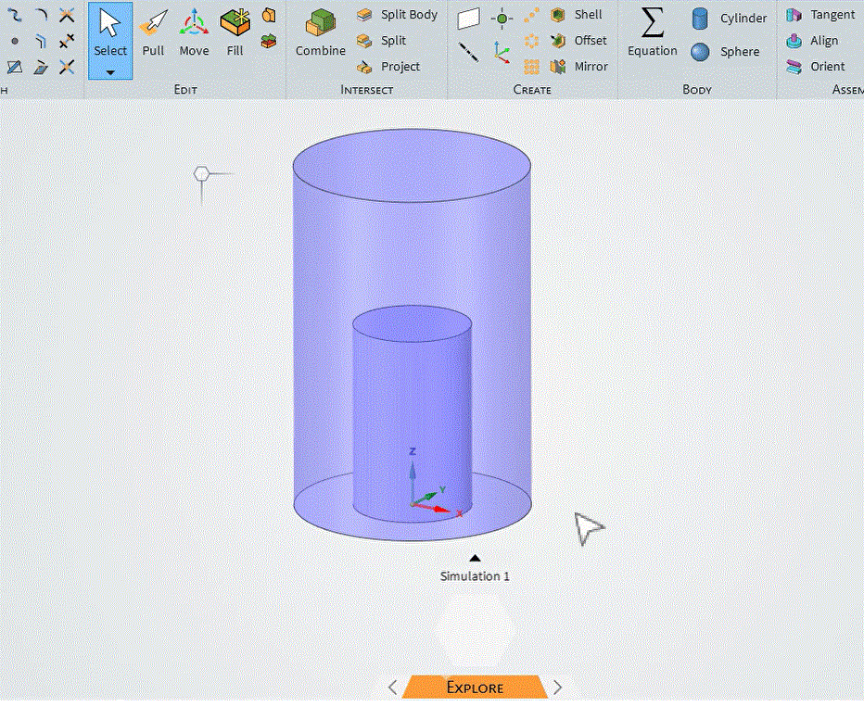
Let’s assume that we have two concentric cylinders.
1- You can use Share topology or not for meshing purposes. If so, pleasebegin by applying this tool; otherwise, continue with step 2.2- There are two surfaces in the same place. Click onMove Tool and select each one.
a) Put the pointer onthe geometry.
b) Press the Ctrl key and use the roller of your mouse to select the first surface with the left button.
c) Keep the Ctrl key pressed and use the roller to select the second surfacewith the left button.
d) Select the Move tool. Click on the blue arrow, since it is the desired direction.
e) Click on the ruler, the third icon on the black box on the right-hand side.
f) Select the reference point. In thiscaseit is the origin.
g) Finally, click on the ‘Add as geometric parameter’ icon.
h) Openthe parameters box and verify the change.