-2.png?height=120&name=Ozen%20Long%20-%20Back%20(1)-2.png)
- Help Center
- Ansys CFX
-
Getting Started With Ansys
-
Ansys Installation
-
Licensing
-
Ansys Mechanical
-
ANSYS AEDT
-
Ansys Maxwell
-
Ansys HFSS
-
Ansys CFD
-
CAD
-
Meshing
-
LS-Dyna & LS-Prepost
-
SpaceClaim
-
Ensight
-
Ansys Lumerical
-
Zemax
-
Discovery
-
AUTODYN
-
Workbench
-
Ansys EMC Plus
-
SIwave
-
CFD-Post
-
Ansys Sherlock
-
Q3D
-
Ansys 3D Layout
-
Fluent Meshing
-
Thermal Desktop
-
Icepak
-
Ansys Icepak
-
Twin Builder
-
Fluent
-
AEDT Circuit
-
EMA3D
-
Linux
-
Optislang
-
Motor-CAD
-
Ansys CFX
How can we monitor solution monitors in a CFX model when running with two different solver setups sequentially?
When running a CFX model with a single solver control, the residuals are displayed by default. However, when using multiple configurations in a CFX model, the solution residuals and monitor controls do not appear, as illustrated below.
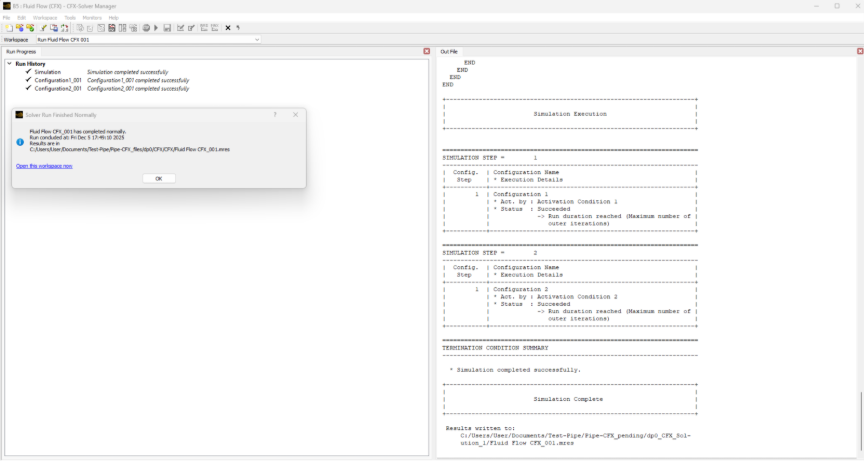
Here, we will explain how to display the monitors while running the CFX model with two different configurations.
Answer
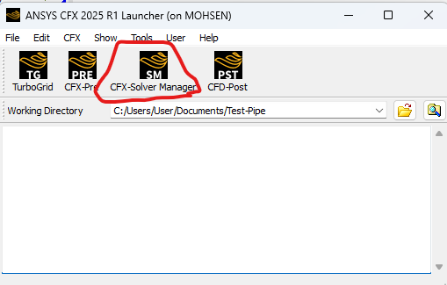
Start the CFX Solver Manager.
Navigate to "Monitor Run in Progress" and select it.
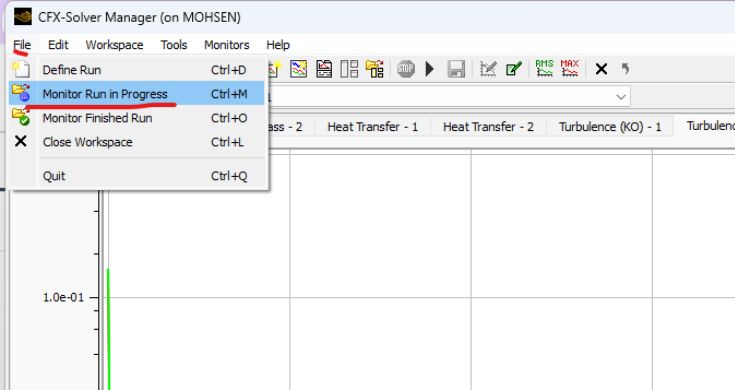
From there, specify the working directory associated with the model that is currently running with its configurations.
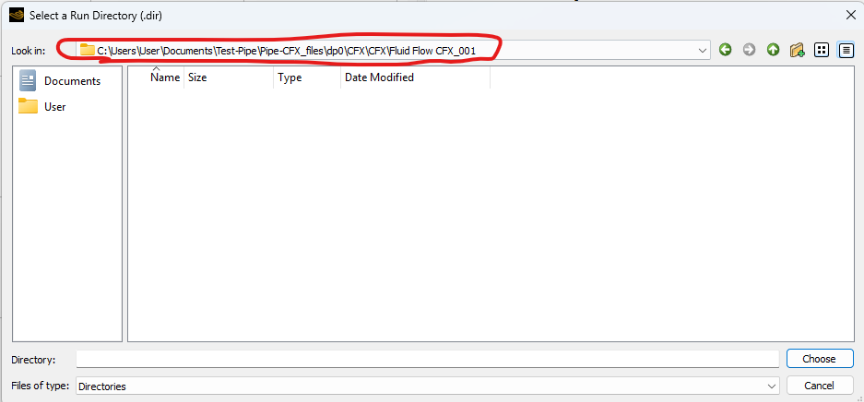
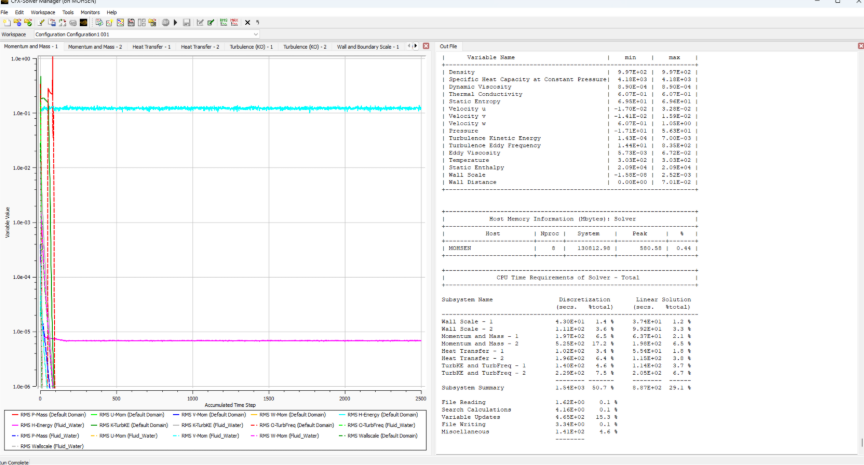
You will then see monitor plots for residuals and any other control monitors you have defined in your CFX model. Additionally, the console will display the residual values for each time-step or iteration.